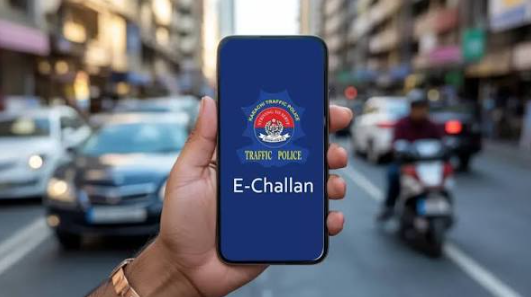

Traffic rules are essential for maintaining road safety and controlling traffic violations in Pakistan. To improve traffic management and make the fine collection process easier, traffic police departments have introduced electronic challan systems. With the E Challan system, vehicle owners can check traffic fines online, verify their violation details, and pay outstanding penalties without visiting a traffic police office.
Whether you drive a car, motorcycle, or another registered vehicle, checking your E Challan regularly can help you avoid unexpected fines and payment delays.
In this guide, we will explain how to check E Challan online in Pakistan, how to pay traffic fines, how to verify vehicle details, and what to do if you receive an incorrect traffic challan.
What Is E Challan?
E Challan stands for Electronic Challan. It is a digital traffic fine system used by traffic authorities to record and manage traffic violations.
Traditional traffic challans were usually issued manually by traffic police officers. However, electronic challan systems use cameras, digital records, and online databases to identify traffic violations and issue penalties.
In Punjab, the Safe City system uses surveillance cameras to monitor roads and identify certain traffic violations. If a vehicle violates traffic rules, the system may record its registration number and relevant evidence to generate an electronic challan.
The purpose of E Challan is to improve road safety, promote responsible driving, reduce manual processes, and make traffic fine management more transparent.
How to Check E Challan Online in Pakistan?
Checking your E Challan online is a simple process. In Punjab, vehicle owners can use the official Punjab E Challan portal to check available traffic fines.
Follow these steps:
- Visit the official Punjab E Challan website
- Open the E Challan checking page.
- Enter your vehicle registration number.
- Provide the required CNIC information if requested.
- Complete the verification process.
- Click the search or submit button.
- View your available traffic challan details.
If a challan has been issued against your vehicle, the available information may include the violation date, location, vehicle registration number, fine amount, and payment details.
Make sure your vehicle registration information is entered correctly to get accurate results.
How to Check E Challan by Vehicle Number?
Many vehicle owners prefer checking their traffic fines using their vehicle registration numbers.
The online E Challan system allows eligible users to search for challan information through the details requested by the official portal.
To check your E Challan by vehicle number:
- Open the official Punjab E Challan portal.
- Enter your vehicle registration number.
- Provide any additional required information.
- Complete the verification process.
- Submit your details.
- Review the challan record displayed on the screen.
Always use the official website to protect your personal and vehicle information.
See also: MEPCO Bill Online Check – Check and Download Duplicate MEPCO Bill
How to Pay E Challan Online in Pakistan?
After checking your traffic challan, the next step is to pay the outstanding fine before the applicable deadline.
In Punjab, several digital payment channels may be available for E Challan payments, depending on the payment instructions provided with your challan.
Common payment options include:
1. Mobile Banking
Many Pakistani banks provide bill payment facilities through their mobile applications. Open your banking app and check whether the relevant traffic challan payment option is available.
2. JazzCash
If your challan supports JazzCash payment, open the application, select the relevant payment category, enter the required challan information, and verify the payable amount.
3. Easypaisa
Easypaisa may also be available as a payment channel for eligible traffic fines. Follow the instructions displayed in the application.
4. Internet Banking
You can use your bank’s internet banking facility if the relevant challan payment service is supported.
5. Bank or Authorized Payment Centers
Some challans may also be paid through participating banks or authorized collection centers.
Always verify the payment method and payment reference using the official challan instructions. Keep your transaction receipt as proof of payment.
Common Traffic Violations That Can Result in E Challan
Traffic authorities issue electronic challans for different types of traffic violations. The exact violations monitored depend on local traffic regulations and camera coverage.
Some common violations include:
- Over-speeding.
- Running a red traffic signal.
- Driving without a seat belt.
- Using a mobile phone while driving.
- Riding a motorcycle without a helmet.
- Driving in a restricted lane.
- Violating traffic signs and road markings.
- Illegal parking where electronically monitored.
Following traffic rules can help you avoid fines and protect yourself and other road users.
How to Check E Challan Status After Payment?
After paying your traffic fine, you may want to confirm whether the payment has been successfully recorded.
Follow these steps:
- Visit the official E Challan portal.
- Enter your vehicle registration details.
- Complete the required verification.
- Search for your challan record.
- Review the available payment status.
Sometimes online records take time to update after a successful transaction. If your payment is not reflected immediately, keep your payment receipt and check again later.
If the issue continues, contact the relevant traffic authority or payment service provider.
What to Do If You Receive a Wrong E Challan?
Sometimes vehicle owners may believe that a challan was issued incorrectly because of incorrect registration details, a vehicle identification mistake, or an inaccurate violation record.
If you receive a challan that you believe is incorrect, do not ignore it.
Take the following steps:
- Open the official E Challan portal.
- Review the violation details carefully.
- Check the vehicle registration number and violation date.
- Review any available photographic or video evidence.
- Contact the relevant traffic police or Safe City complaint center.
- Follow the official procedure for submitting a complaint or requesting a review.
Keep any relevant documents and evidence available when making your complaint.
Benefits of the E Challan System in Pakistan
The electronic challan system offers several advantages for both citizens and traffic authorities.
1. Easy Online Checking: Vehicle owners can check available traffic fines without visiting a traffic police office.
2. Better Transparency: Digital records can help citizens review violation information and payment details.
3. Improved Traffic Management: Camera-based monitoring can help authorities identify certain traffic violations more efficiently.
4. Time Saving: Online checking and supported digital payment methods reduce unnecessary visits to offices.
5. Road Safety: Electronic enforcement encourages drivers to follow traffic rules and drive responsibly.
6. Digital Records: Electronic challan information makes it easier to maintain and review traffic violation records.
E Challan in Punjab and Other Cities of Pakistan
Electronic traffic challan services are not necessarily identical across Pakistan. Different provinces and cities may use separate traffic management systems and online portals.
In Punjab, the Punjab Safe Cities Authority (PSCA) provides an official E Challan checking facility for eligible traffic violations.
Other cities and provinces may have their own traffic police websites, complaint channels, and payment procedures.
Before entering your vehicle information, make sure you are using the official portal for your relevant jurisdiction.
Frequently Asked Questions (FAQs)
1. How can I check my E Challan online?
Visit the official Punjab E Challan portal at https://echallan.psca.gop.pk/, enter the required vehicle and identification details, and submit the information to view available challans.
2. Can I check E Challan by vehicle number?
Yes. The official portal supports vehicle-based searches using the registration details and any additional information requested.
3. How can I pay my E Challan online?
You can pay through supported mobile banking applications, digital wallets, internet banking, or authorized payment channels mentioned in your challan instructions.
4. What is the official Punjab E Challan website?
The official Punjab E Challan website is https://echallan.psca.gop.pk/.
5. What happens if I do not pay my E Challan?
Unpaid traffic fines may result in further action under applicable traffic laws and procedures. Check the challan instructions and contact the relevant authority if you need clarification.
6. Can I challenge an incorrect E Challan?
Yes. If you believe your challan is incorrect, contact the relevant traffic authority and follow its official complaint or review procedure.
7. How can I confirm my E Challan payment?
Keep your payment receipt and check the challan status through the official portal after the payment record has been updated.
Conclusion
The E Challan system in Pakistan makes traffic fine checking and payment more convenient for vehicle owners. Instead of relying entirely on manual processes, citizens can use online services to review traffic violations, check outstanding fines, and pay penalties through supported digital channels.
If you own a car or motorcycle, regularly checking your E Challan status can help you stay informed about outstanding traffic fines. Always follow traffic regulations, use official payment channels, and keep your payment receipts for future reference.
Responsible driving not only helps you avoid traffic fines but also makes roads safer for everyone.