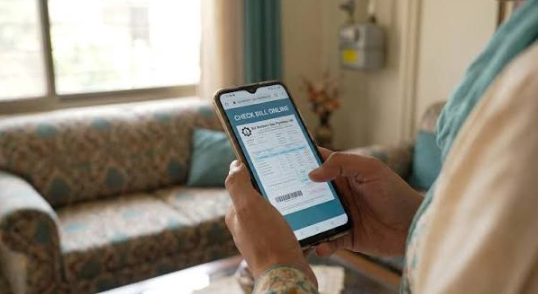

Electricity bills are an important monthly expense for households and businesses in Pakistan. Keeping track of your electricity consumption, monthly charges, and payment deadlines can help you manage your budget and avoid late payment surcharges. If you are an IESCO consumer, you can conveniently check your IESCO Bill online without waiting for a printed copy.
Islamabad Electric Supply Company (IESCO) provides electricity distribution services across Islamabad, Rawalpindi, Attock, Jhelum, Chakwal, and surrounding areas. Consumers can use online billing services to check their latest electricity bills, download duplicate copies, and review important billing information.
In this guide, you will learn how to check your IESCO online bill, download a duplicate bill, understand electricity charges, and pay your bill using convenient payment methods.
What Is IESCO?
IESCO stands for Islamabad Electric Supply Company. It is responsible for distributing electricity to residential, commercial, industrial, and other consumers within its service area.
The company serves customers across a large region, including Islamabad, Rawalpindi, Attock, Jhelum, and Chakwal. Its official website provides information about electricity services, customer assistance, new connections, and duplicate bills.
With online billing facilities, consumers can access their electricity information without visiting an IESCO office.
See also: MEPCO Bill Online Check – Check and Download Duplicate MEPCO Bill
How to Check IESCO Bill Online?
Checking your IESCO bill Check online is a simple process. You only need your 14-digit reference number or Customer ID, which is printed on your previous electricity bill.
Follow these steps to check your latest IESCO electricity bill:
- Visit the official IESCO website at https://iesco.com.pk/.
- Select the Get Duplicate Bill option.
- Open the official IESCO bill-checking page.
- Enter your 14-digit reference number.
- Alternatively, select the Customer ID option if you have that information.
- Complete any verification displayed on the page.
- Click the search option to view your latest electricity bill.
Your bill will appear on the screen with details such as the total payable amount, electricity units consumed, issue date, and due date.
You can also print the bill or save it as a PDF for future reference.
How to Download an IESCO Duplicate Bill?
Sometimes consumers do not receive their electricity bills on time because of delivery problems, address changes, or other reasons. Missing a printed bill does not mean you have to miss your payment deadline.
IESCO provides an online facility for obtaining duplicate electricity bills.
To download your duplicate IESCO bill:
- Open the official IESCO website.
- Click on the Get Duplicate Bill option.
- Enter your reference number or Customer ID.
- Search for your latest bill.
- Open the bill displayed on your screen.
- Select Print or Save as PDF.
Once downloaded, you can keep a digital copy on your mobile phone or computer. You can also print it whenever necessary.
The duplicate bill contains the relevant payment information and can be used for paying your electricity charges.
Information Available on Your IESCO Electricity Bill
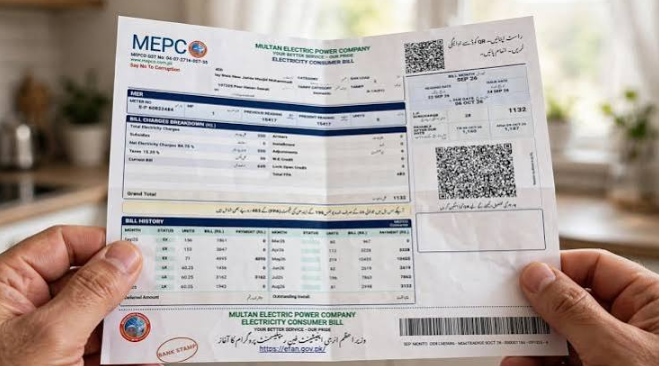
Understanding your electricity bill helps you identify your monthly consumption and manage your electricity expenses.
Here are some important details included in an IESCO bill:
1. Reference Number: This is a unique 14-digit number associated with your electricity connection. It is commonly used to check your bill online.
2. Customer ID: Your Customer ID helps identify your electricity account and can also be used for online bill checking.
3. Meter Reading: This section displays your previous and current electricity meter readings.
4. Units Consumed: It indicates the total electricity units consumed during the billing period.
5. Electricity Charges: These are the basic charges calculated according to your applicable electricity tariff and consumption.
6. Fuel Price Adjustment (FPA): This adjustment reflects changes in fuel-related electricity generation costs, according to applicable regulations.
7. Taxes and Other Charges: Your bill may include applicable government taxes, duties, and other authorized charges.
8. Due Date: This is the last date for paying your bill without the applicable late payment surcharge.
Reviewing these details every month can help you understand changes in your electricity expenses.
How to Pay Your IESCO Bill Online?
IESCO consumers have several convenient options for paying their monthly electricity bills. Digital payment services can save time and eliminate the need to visit a bank branch.
Common payment options include:
- Mobile Banking: Use your bank’s mobile application to pay your electricity bill.
- Internet Banking: Log in to your bank’s online banking service and select the electricity bill payment option.
- JazzCash: Use the JazzCash application to access available electricity bill payment services.
- Easypaisa: Pay your IESCO bill through the Easypaisa application.
- ATM: Visit an ATM that supports electricity bill payments.
- Bank Branches: Pay your bill through participating bank branches and other authorized collection points.
To make a digital payment, select IESCO from the available electricity providers, enter your reference number, verify the displayed bill information, and complete the transaction.
Always save your payment receipt or transaction confirmation as proof of payment.
What to Do If Your IESCO Bill Is Too High?
Receiving an unexpectedly high electricity bill can be stressful. However, several factors can increase your monthly electricity charges.
Common reasons include:
- Increased electricity consumption.
- Heavy use of air conditioners and electric heaters.
- Changes in applicable electricity tariffs.
- Fuel Price Adjustment charges.
- Government taxes and additional authorized charges.
- Incorrect or estimated meter readings.
- Previous outstanding amounts.
If your bill appears unusually high, compare your current consumption with previous months.
Check the meter reading printed on your bill and compare it with your actual electricity meter reading. If you notice an error, contact your nearest IESCO subdivision office and request a billing investigation.
Do not ignore billing discrepancies because resolving them early can prevent further complications.
Tips to Reduce Your Monthly IESCO Electricity Bill
Reducing electricity consumption is one of the best ways to manage household expenses.
Consider these practical energy-saving tips:
- Switch off lights and fans when they are not needed.
- Use energy-efficient LED bulbs.
- Choose inverter air conditioners and appliances where appropriate.
- Avoid unnecessary use of electric heaters.
- Disconnect chargers and unused electrical devices.
- Maintain your air conditioner and refrigerator regularly.
- Use heavy electrical appliances efficiently.
- Monitor your monthly electricity consumption.
Consumers with Time-of-Use meters should also review the applicable peak and off-peak hours printed in official tariff information. Managing heavy electricity usage outside peak hours may help reduce costs where the applicable tariff provides a difference.
IESCO Helpline and Customer Support
If you experience electricity supply problems, incorrect billing, meter-related issues, or other service difficulties, you can contact IESCO through its customer assistance channels.
Official customer support options include:
- Helpline: 118
- SMS complaints: 8118
- Official website: https://iesco.com.pk/
You can also visit your nearest IESCO customer service center for assistance with billing complaints, connection issues, and other electricity-related matters.
Always use official communication channels when submitting personal or electricity account information.
Frequently Asked Questions (FAQs)
1. How can I check my IESCO bill online?
Visit the official IESCO website, select Get Duplicate Bill, and enter your 14-digit reference number or Customer ID to view your latest electricity bill.
2. Can I download my IESCO duplicate bill?
Yes. You can access your latest duplicate bill online and save it as a PDF or print a physical copy.
3. How many digits are in an IESCO reference number?
An IESCO reference number generally consists of 14 digits and is printed on your electricity bill.
4. Can I check my IESCO bill using my mobile phone?
Yes. You can use a smartphone, tablet, or computer with an internet connection to access your IESCO online bill.
5. What is the IESCO complaint helpline?
You can contact IESCO by calling 118 or sending an SMS to 8118 for customer assistance and complaints.
6. What should I do if my IESCO bill is not showing online?
First, check your reference number carefully. If the problem continues, try again later or contact IESCO customer support.
Conclusion
Checking your IESCO Bill online is an easy and convenient way to stay updated about your monthly electricity expenses. With online bill-checking facilities, consumers can view their latest bills, download duplicate copies, check payment deadlines, and review electricity consumption from home.
Whether you live in Islamabad, Rawalpindi, Attock, Jhelum, or Chakwal, keeping track of your electricity bill can help you avoid late payments and manage your household budget more effectively.
Use the official IESCO website for reliable billing information, pay your electricity charges before the due date, and contact customer support whenever you experience billing or electricity-related problems.